Cloud Digital Signage Built for Real Operations
Control every screen
from one secure platform.
Schedule notices, campaigns, emergency updates and local advertisements across your Android display network from a single control panel. Content continues playing locally even when connectivity is temporarily interrupted.
One platform. Every screen. Always current.
Central scheduling · Offline-first playback · Device monitoring · Portrait & landscape support
Your screens should not depend on pen drives, repeated visits or scattered messages.
Managing digital screens across a building or network often means one person physically visiting each screen, copying content through USB drives, and hoping the right version is showing on every display.
One control panel for the complete display network.
Upload content once. Choose the screens. Set the schedule. Publish. From that point, screens pull and play their content independently — connected or not.
Upload Content
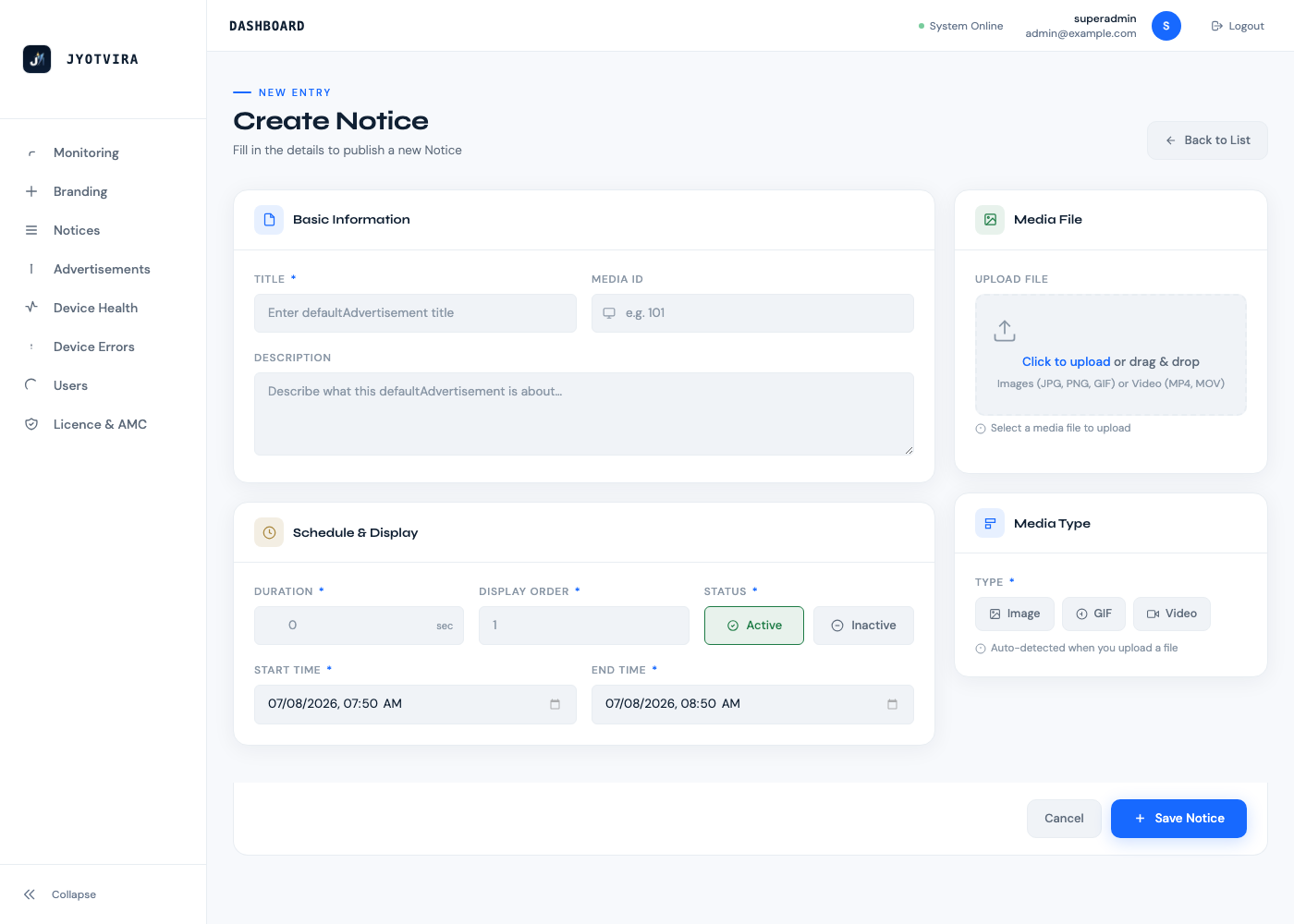
Add images, videos or announcements to the central media library.
Select Screens
Choose individual screens or screen groups by location.
Configure Schedule
Set start/end dates, times and display duration.
Publish
One click distributes the content plan to selected devices.
Monitor Playback
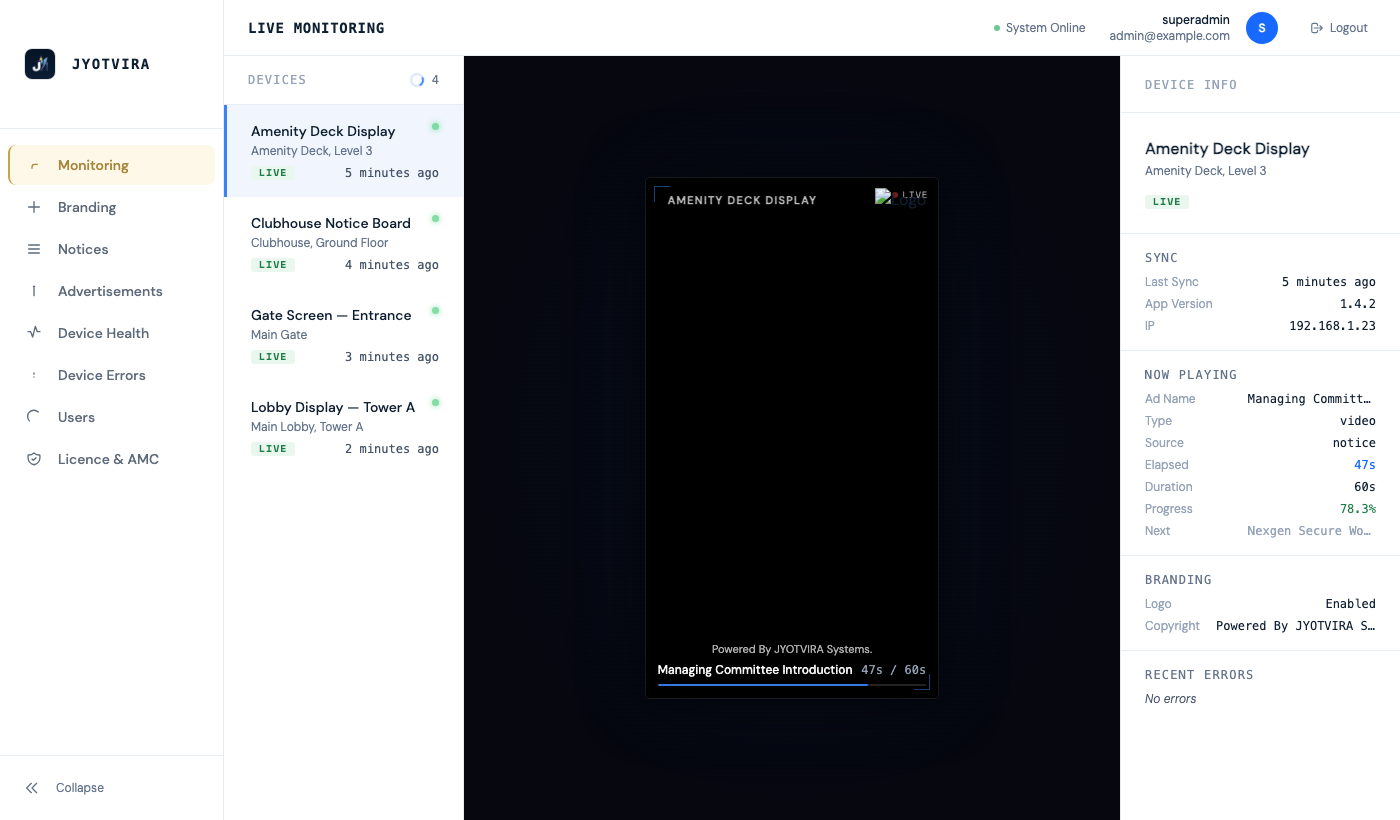
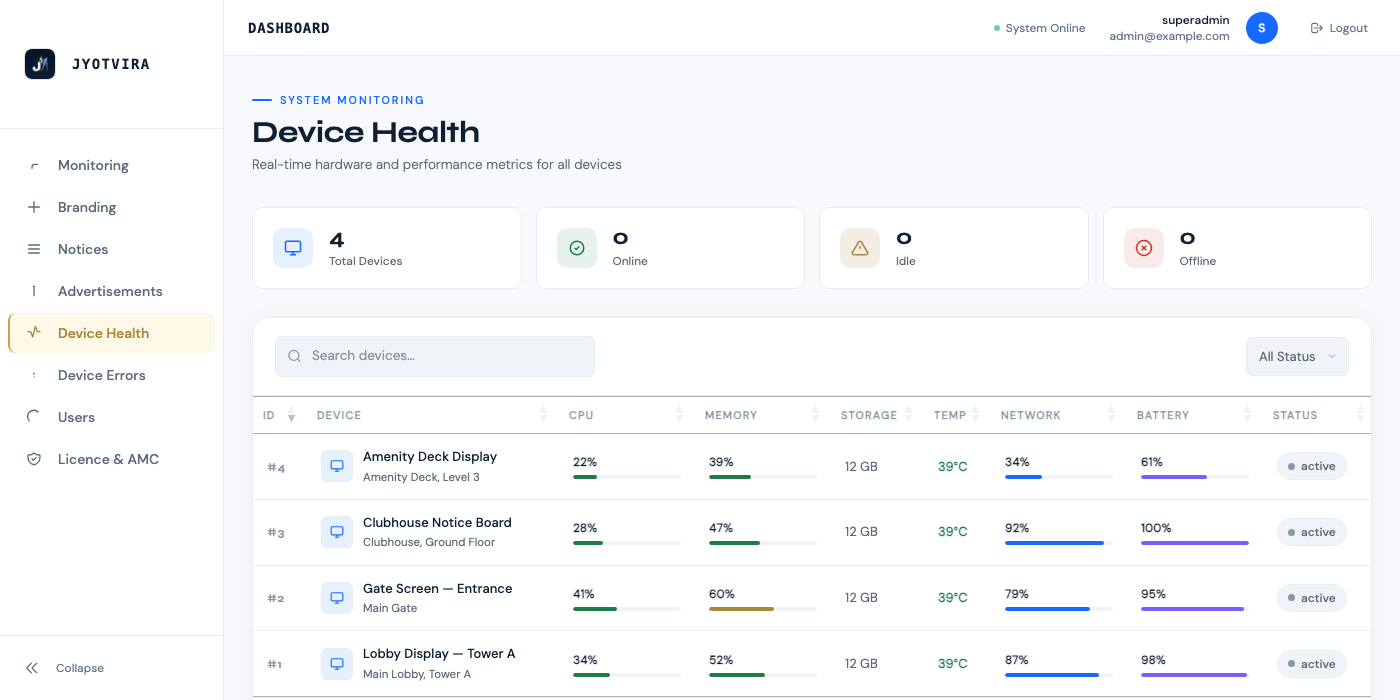
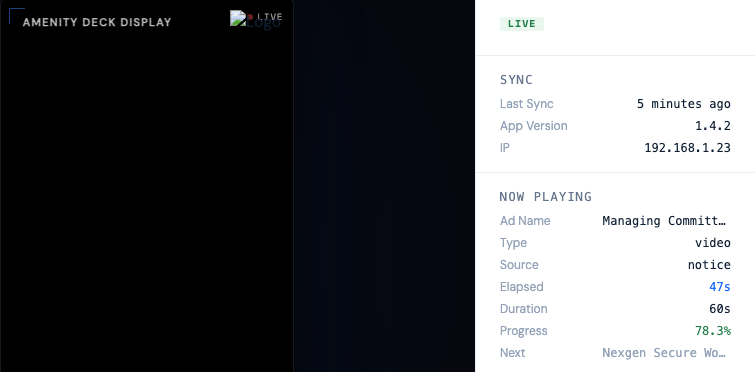
View live device status, playback state and error history.
What the platform does
The administration panel
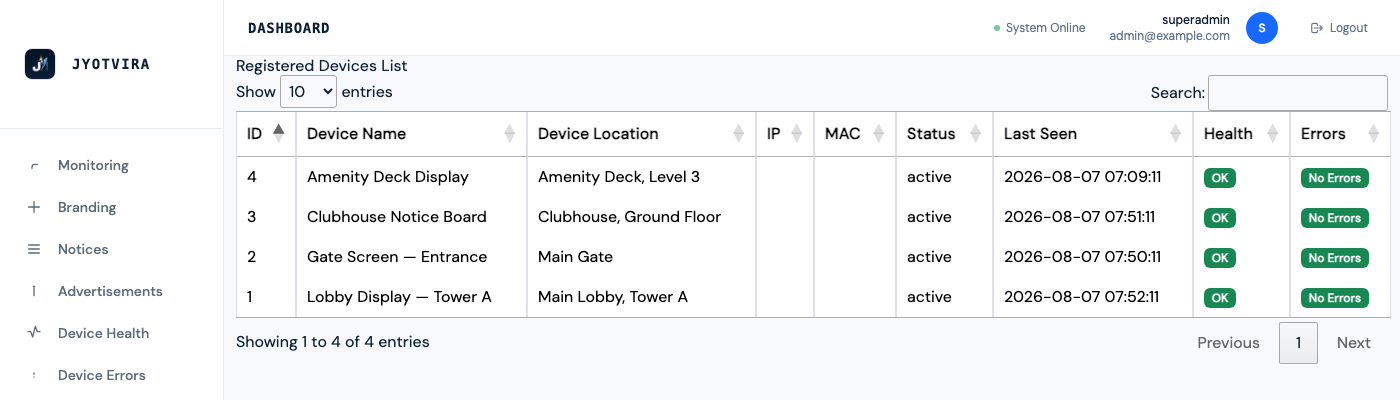
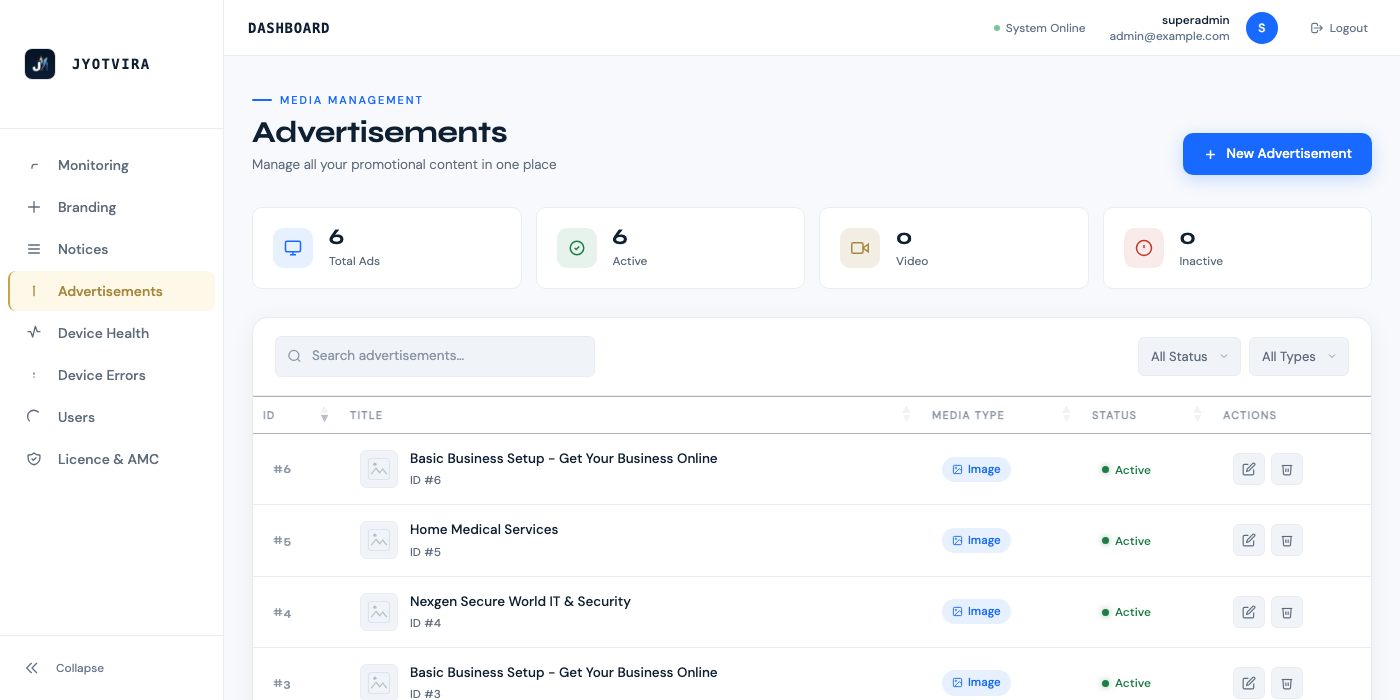
All screens. All content. All schedule management. One browser-based control panel. No desktop application required.
Designed for displays that must keep running.
Signage systems fail in predictable ways. JYOTVIRA Grid is built to handle each failure mode rather than expose it to your visitors.
Offline-first architecture
Media is downloaded and stored locally on each device. The current content schedule continues playing during temporary connectivity loss — no blank screen, no loading spinner.
Screen health reporting
Each device reports its status, last-seen time, and health metrics to the control panel. Administrators can view which screens are online or offline without visiting the location.
Content error isolation
A failed media item does not have to block the complete playlist. Devices can continue with remaining available content while reporting the error for investigation.
Centralised device management
Screen orientation, fit mode, rotation, and other operating parameters are managed from the administration panel. Screens do not require on-site reconfiguration for setting changes.
Default content fallback
When the active schedule has no applicable content, devices automatically display a configured default set of notices — the screen is never blank without cause.
Player monitoring and recovery
The Android player application supports error reporting and remote diagnostics. Device-level recovery events are logged for operational review.
Built for Android-powered display environments.
JYOTVIRA Grid runs on the Android platform. Many commercial digital signage displays, Android-based signage players, and compatible Android TVs can be connected without additional hardware.
Honest qualification: Actual 4K output, codec support, auto-start on boot, and kiosk-mode capabilities depend on the specific Android hardware and OEM configuration. Devices should be tested before full-scale deployment.
Supported deployment patterns
Purpose-built signage displays with Android OS — the most straightforward deployment.
Android TVs that support side-loading and auto-start may be used where supported by the OEM.
External media players running Android connected to any HDMI display.
Screens mounted vertically (9:16). Orientation and content fitting configured per device.
Standard 16:9 landscape mounting. Multiple screens on the same network.
Non-Android screens supported with an external certified Android player.
Where JYOTVIRA Grid is used
Built for environments where display content changes frequently, must be accurate, and cannot depend on manual screen-by-screen updates.
Housing Societies and Townships
Publish maintenance notices, visitor announcements, society event schedules and emergency communications across lobby and lift screens without printing or manual distribution.
Clinics, Laboratories and Hospitals
Display token queues, consultation schedules, health advisories and facility instructions. Update across departments centrally when schedules change.
Franchise Branches
Ensure every branch shows current menu boards, promotions and operational notices without regional managers visiting each location.
Corporate Offices
Communicate HR notices, cafeteria menus, event schedules and compliance updates across reception, cafeteria and common area screens.
Educational Campuses
Publish class schedules, exam timetables, event announcements and emergency notifications across multiple buildings from one administration point.
Retail Locations
Manage promotional content, pricing notices and campaign materials centrally and schedule them across store display networks.
Community Facilities
Share facility schedules, booking availability and community notices on screens at clubhouses, gymnasiums and common areas.
Local Advertising Networks
Give local businesses a managed channel to reach residents or visitors through scheduled, location-specific commercial content.
Turn unused screen time into a managed local media opportunity.
JYOTVIRA Grid includes an optional module for managing local commercial content alongside operational notices. This is a scheduling and attribution feature — it does not guarantee advertising income.
Schedule local business advertisements alongside operational notices.
Control which screens show commercial content and during which time slots.
Set campaign durations, start and end dates per advertisement.
Track impressions per device where playback logging is enabled.
Support location-specific or society-specific commercial arrangements.
Revenue-sharing models can be configured separately by agreement.
This feature is optional and must be deliberately enabled.
No guaranteed advertising revenue is implied or claimed.
How a deployment works
Every location is different. The deployment process begins with an assessment before any configuration is set.
Screen and location assessment
Understand the number of screens, mounting positions, internet connectivity, power availability and intended content type at the location.
Device compatibility check
Verify whether existing screens support direct Android installation or require an external certified player. Devices are tested before full deployment.
Platform configuration
Configure the platform with the society or location, register devices, and set up initial content categories, user roles and access.
Content and schedule setup
Upload initial content — notices, announcements or commercial media — and configure the first working schedule.
Go-live and monitoring
Switch screens to live playback, verify device status in the monitoring panel, and confirm content is displaying correctly on each screen.
The software may work directly on compatible Android screens. Where existing screens are not Android-based, a certified external Android player will be needed. Device compatibility is confirmed during Step 2 before configuration begins.
Questions about the platform
What is JYOTVIRA Grid?
Is it the same product previously called DDMS?
Can it work directly on an Android screen?
Does every screen require an Android box?
What happens when the internet is unavailable?
Can it play portrait and landscape content?
Does it support videos and images?
Can different screens show different content?
Can advertisements be scheduled?
Can the system monitor screen health?
Does it support 4K?
Is installation and AMC available?
Can it be used outside housing societies?
How is pricing decided?
See your complete screen network managed from one place.
Book a live demonstration using your actual display, content and operating requirements. We will show you the administration panel, device setup, content scheduling and monitoring on a real working system.
Live walkthrough of the administration panel
Device registration and content scheduling demonstration
Questions answered for your specific use case
Pricing discussion based on your screen count and requirements
Alternatively, reach us at https://jyotvira.com